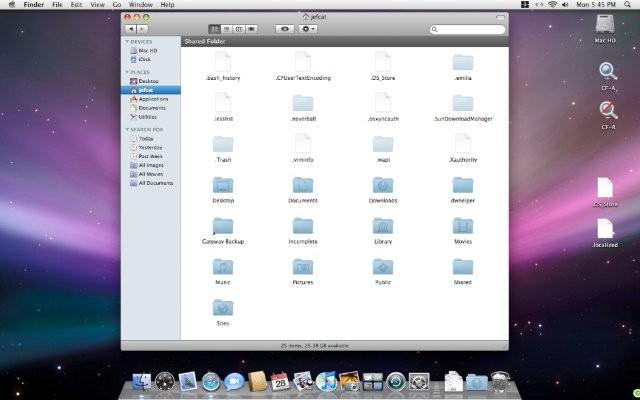


Notes: Release Name: chgfndr-0.4 Notes: Readme Notes for Change Finder (Unix Name chgfndr) Change Finder (ver 0.4) consists of 2 wrapped shell scripts. CF-A is the script to change finder -all and CF-R is the script to change finder -regular. After unzipping the archive, place the folder anywhere you wish on your hard drive. That's it, you're done. Now anytime you want to use finder to view and open your hidden files such as .profile, .xinitrc, etc..., just double click the CF-A script wrapper and then double click the CF-R script wrapper to return to normal view. IMPORTANT NOTE: When you do a CF-A, you will notice icons are overlapped, especially in your home folder if you have a lot of dot (.) files. If you use "Clean Up Selection" or otherwise change your view, be sure to do so again after using CF-R. Otherwise, the top of your Finder window will be empty and it will appear as if you lost your files. (You didn't, they are just further down in the window, below where the dot files were appearing.)
Changes: Changes: Change Log for Change Finder (Unix Name chgfndr) July 3, 2006 - first file released. July 5, 2006 - released version 0.2 with installation text. July 8, 2006 - released version 0.3 as double clickable applescripts. August 7, 2006 - released version 0.3.1 with added text files regarding using the application, specifically addressing using "Clean Up Selection" with Change Finder. January 18, 2007- released version 0.4 as shell scripts with Platypus wrappers.